
Having Trouble Seeing Delivery Slots at Checkout?Updated 8 months ago
If you see an error at checkout, it usually means either:
- We don’t deliver to your location, or
- The shipping address hasn’t been entered correctly.
Here’s how to fix it:
- Check delivery: Visit our Delivery Info – The Dinner Ladies to confirm we deliver to your suburb.
- Enter your address correctly: Make sure the suburb is spelled correctly and matches the postcode (e.g., Matraville, 2036, not Sydney, 2036). Avoid abbreviations.
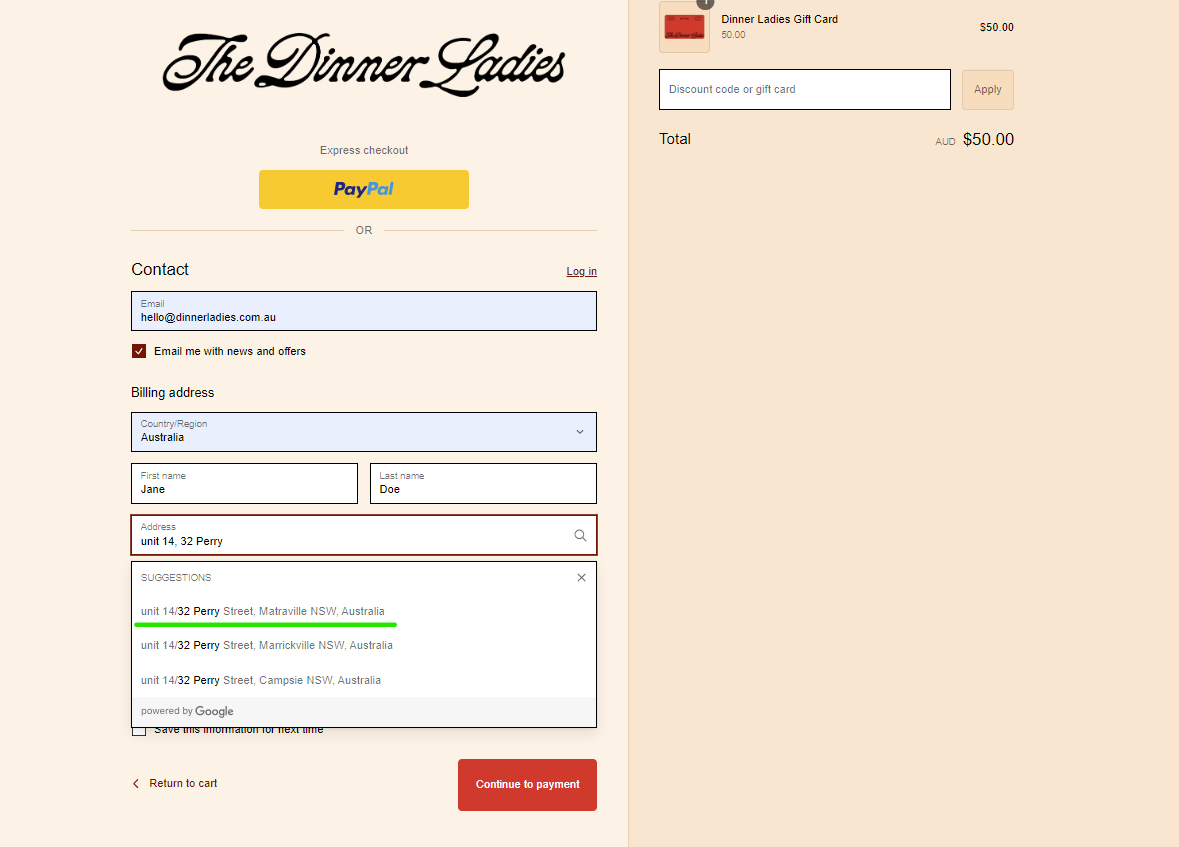
- Use the drop-down suggestions: Start typing your address in the first line, including unit numbers if applicable. Select the correct address from the drop-down to auto-fill all fields.
- Avoid browser auto-fill: Auto-fill can place details in the wrong fields.
If you’ve confirmed delivery to your suburb and re-entered your address correctly but still have issues, contact us via phone (02 8310 6508), or email ([email protected]) and we’ll help resolve it.